
Rule recipes
20 ready-made rules for updates, alerts, backups and reports, with the settings for each. Pick one, tweak it, save.
Updated Oct 11, 2026
On the Rules page, every recipe below is one click away, grouped into Updates, Alerts, Backups and Reports. Clicking one fills in the editor; change anything, then Save rule. After saving, click Test to see what it would do on each site right now.
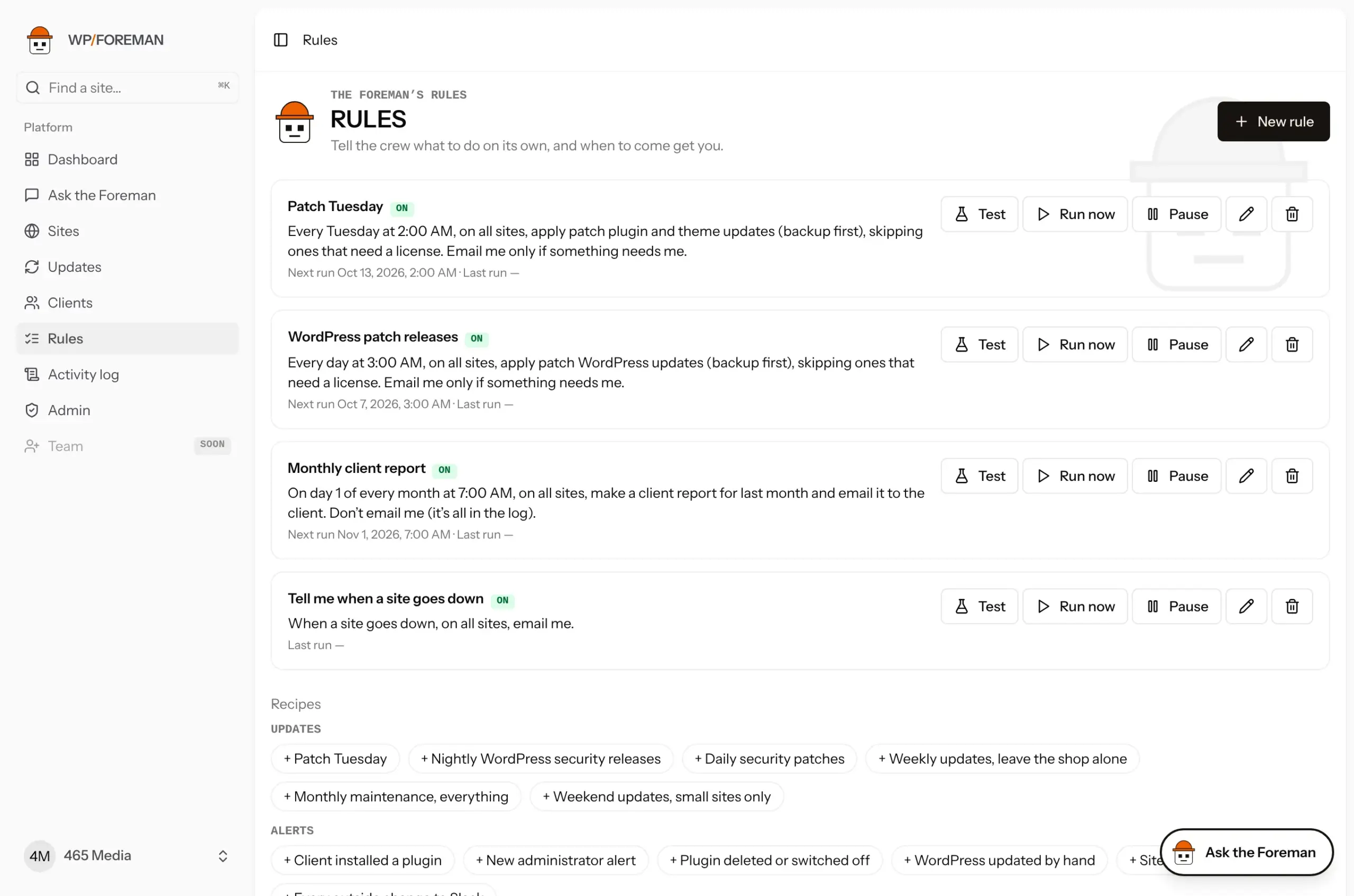
All times are in your timezone. Updates always back up first. Every recipe works on all sites unless it says otherwise; change Where to narrow it to a client or a few sites.
Updates
Patch Tuesday
One set time each week when updates happen. Most weeks you hear nothing.
| When | Every week on Tuesday at 02:00 |
| Then | Apply updates to plugins and themes |
| Only if | Minor and patch. Skip “Can’t download”. |
| Tell me | Only if something needs me |
Nightly WordPress security releases
WordPress security fixes ship as patch releases (6.8.1 → 6.8.2). Apply them the night they appear.
| When | Every day at 03:00 |
| Then | Apply updates to WordPress |
| Only if | Patch only |
Daily security patches
Patch-level plugin and theme releases (1.2.3 → 1.2.4) are almost always bug and security fixes. Take them nightly.
| When | Every day at 04:00 |
| Then | Apply updates to plugins and themes |
| Only if | Patch only |
Weekly updates, leave the shop alone
Keep everything current except the plugins that run checkout and the page builder; do those by hand when you can test.
| When | Every week on Wednesday at 01:00 |
| Then | Apply updates to plugins and themes |
| Only if | Minor and patch. Never update: woocommerce, woocommerce-payments, woocommerce-gateway-stripe, elementor, elementor-pro. Add your own. |
Monthly maintenance, everything
For care plans with a monthly maintenance visit: everything current, majors included, with a summary email.
| When | Every month on day 1 at 01:00 |
| Then | Apply updates to plugins, themes and WordPress |
| Only if | All, including major |
| Tell me | Every time it runs |
Weekend updates, small sites only
Brochure sites that can take updates without anyone watching. You pick the sites.
| When | Every week on Saturday at 06:00 |
| Where | Chosen sites (tick them before saving) |
| Then | Apply updates to plugins, themes and WordPress |
| Only if | Minor and patch (WordPress patch releases only; see the note in Rules reference) |
Alerts
Client installed a plugin
Find out when a client adds a plugin in wp-admin, with a backup from right after it in case it breaks something.
| When | Someone installs a plugin outside WP Foreman |
| Then | Back up the site, Email me |
The email names who did it (name, email, role) with plugin 0.7.0 or later. See Know when someone changes a site.
New administrator alert
A new admin you didn’t create is either a client being helpful or someone who shouldn’t be there.
| When | A new administrator is added |
| Then | Email me |
Plugin deleted or switched off
Catch a security, backup or caching plugin being switched off.
| When | Someone deletes or deactivates a plugin outside WP Foreman |
| Then | Email me |
WordPress updated by hand
Hosts sometimes update WordPress for you. Know when, and have a backup from right after.
| When | WordPress is updated outside WP Foreman |
| Then | Back up the site, Email me |
Site disconnected
A disconnected site gets no backups or updates. Find out right away.
| When | A site disconnects |
| Then | Email me |
Every outside change to Slack
A running feed of client changes in a Slack channel, without filling your inbox. Needs a webhook subscribed to rule.ran (Zapier or Make into Slack); see Webhooks.
| When | Someone changes a site outside WP Foreman |
| Then | Send the rule.ran webhook |
| Tell me | Never |
Backups
Alert me when backups fail twice
One failed backup is often a hiccup (the host was busy). Two in a row is worth a look.
| When | A backup fails, 2 times in a row |
| Then | Email me |
Back up after a failed update
If an update fails or only partly works, keep a backup of the site as it is now, and tell you.
| When | An update fails |
| Then | Back up the site, Email me |
Sunday night backup for a client
All of one client’s sites backed up at the same moment, for example before their busy week.
| When | Every week on Sunday at 23:00 |
| Where | A client’s sites (pick the client before saving) |
| Then | Back up the site |
Month-end snapshot
A clean backup of every site near the end of each month, handy for client reports and audits. (Day 28 so it runs in February too.)
| When | Every month on day 28 at 00:00 |
| Then | Back up the site |
Most sites already have their own backup schedule (Backups › Settings). Backup rules are for extra backups at a particular moment, not a replacement for the schedule.
Reports
Monthly report to every client
Every client gets last month’s report on the 1st without you touching it. Save each client’s report emails on the Clients page first.
| When | Every month on day 1 at 08:00 |
| Where | All sites |
| Then | Make a client report for last month and email it to the client |
Monthly report for one client
The same, for one client’s sites only. Pick the client under Where.
| When | Every month on day 1 at 08:00 |
| Where | One client’s sites |
| Then | Make a client report for last month and email it to the client |
Weekly internal summary
Monday morning, a report on the last 7 days for every site, to you only.
| When | Every week on Monday at 07:00 |
| Then | Make a client report for the last 7 days and email it to me |
Quarterly review
Last quarter’s report for every site, sent to you to review before you pass it on.
| When | Every quarter on day 2 at 09:00 |
| Then | Make a client report for last quarter and email it to me |
Thanks. If something was missing, tell us what.