
Update across all your sites
See every waiting update on every site in one list, and update them together.
Updated Oct 6, 2026
Click Updates in the main sidebar. It lists every waiting update across your sites, grouped by plugin, theme or WordPress, with each site’s current and new version.
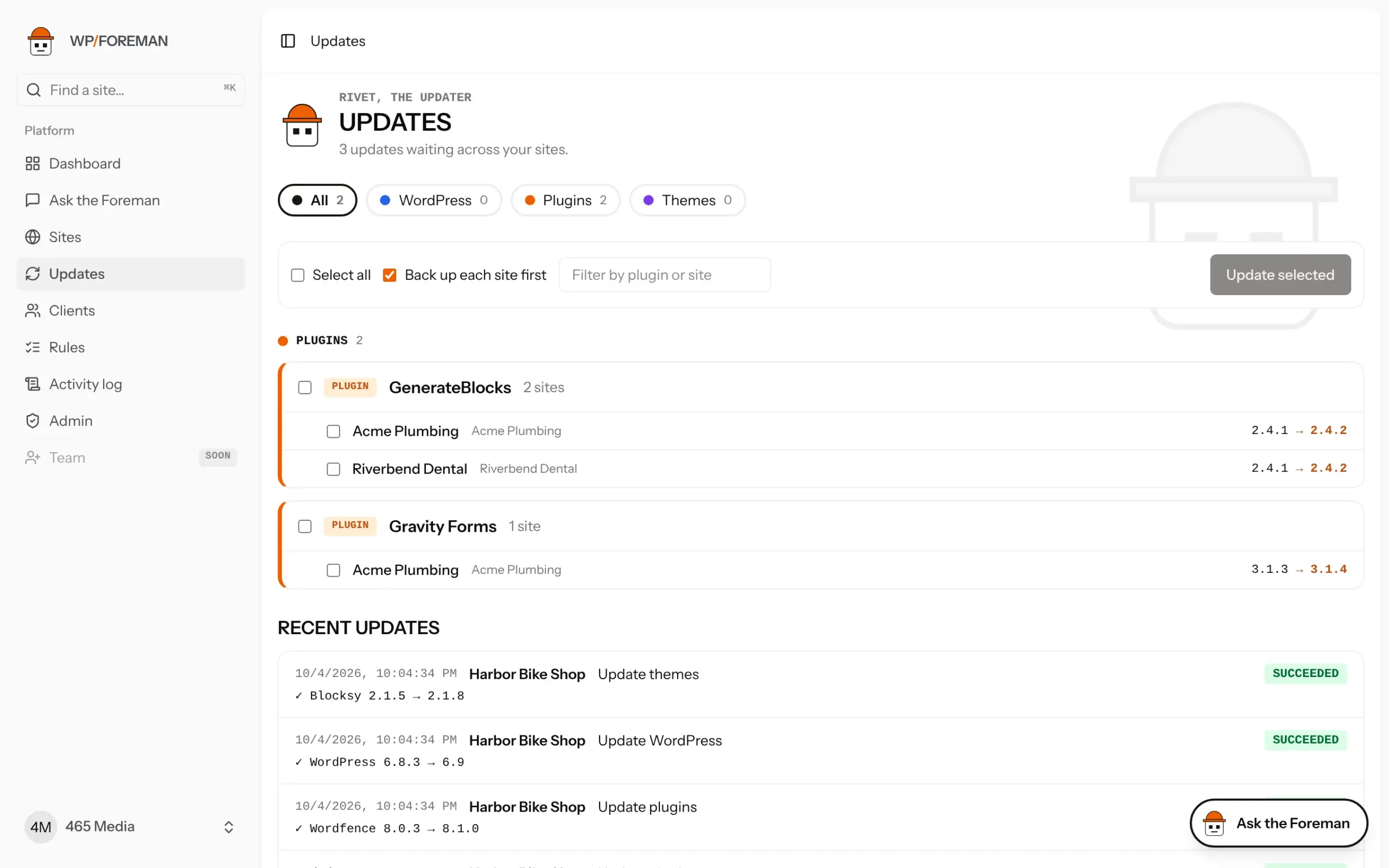
- Tick the updates you want: a whole group (“GenerateBlocks on every site”), single sites, or Select all.
- Leave Back up each site first on (recommended).
- Click Update selected.
Each site gets one backup, then its updates run. Progress shows under Recent updates, and each site’s own Recent work log records what changed.
Use the filter box to find one plugin across sites, for example to push a security fix everywhere at once.
Was this helpful?
Thanks. If something was missing, tell us what.