
Install plugins and themes
Search wordpress.org, upload a .zip, or paste a .zip link for premium plugins, and install in one click.
Updated Oct 6, 2026
- Open the site’s Plugins & themes page.
- Click Install plugin (or Install theme).
- Search wordpress.org, then click Install on the one you want.
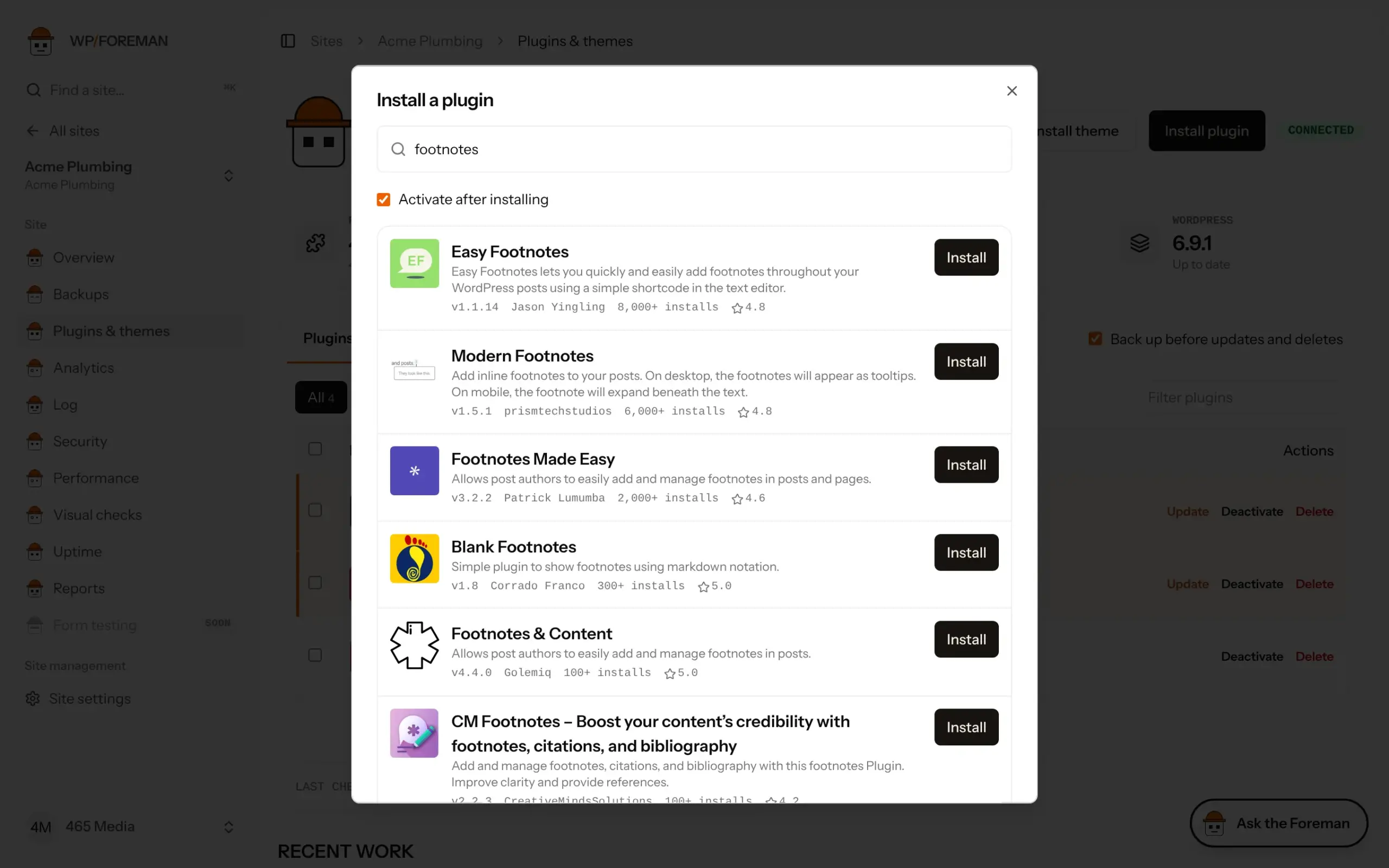
Activate after installing is on for plugins by default. Untick it to install without activating.
Premium plugins and themes
Upload a .zip
Under Or upload a .zip, choose the .zip on your computer (the file you downloaded from the vendor) and click Upload & install. Up to 50 MB.
The site fetches the file from WP Foreman over a private link that only works for a few hours. We delete the file within 12 hours, whether the install worked or not.
Install from a link
Or paste an https:// link to the .zip under Or install from a .zip link. Most vendors give you a download link in your account. Links that expire quickly (a few minutes) work as long as you install right after copying.
The install runs in the background and shows in Recent work on the page. It usually takes a few seconds.
If an install fails
| Message | Fix |
|---|---|
| That isn’t a .zip file | Pick the .zip itself. On a Mac, Safari can unzip downloads automatically: turn off “Open safe files after downloading”, or use the vendor’s link instead. |
| No valid plugins were found | The .zip isn’t a plugin (or you uploaded a theme as a plugin). Some vendors bundle docs and the plugin in one .zip: unzip it and upload the inner plugin .zip. |
| Destination folder already exists | It’s already installed. Update it instead, or delete it first. |
Thanks. If something was missing, tell us what.