
How backups work
Full once, then only what changed. Encrypted before upload, kept at least 90 days, nothing heavy on your server.
Updated Oct 11, 2026
Lockup backs up every file in your WordPress folder and every table in your database. The first backup copies everything. After that, each backup only collects what changed, so they’re fast and light on your server.
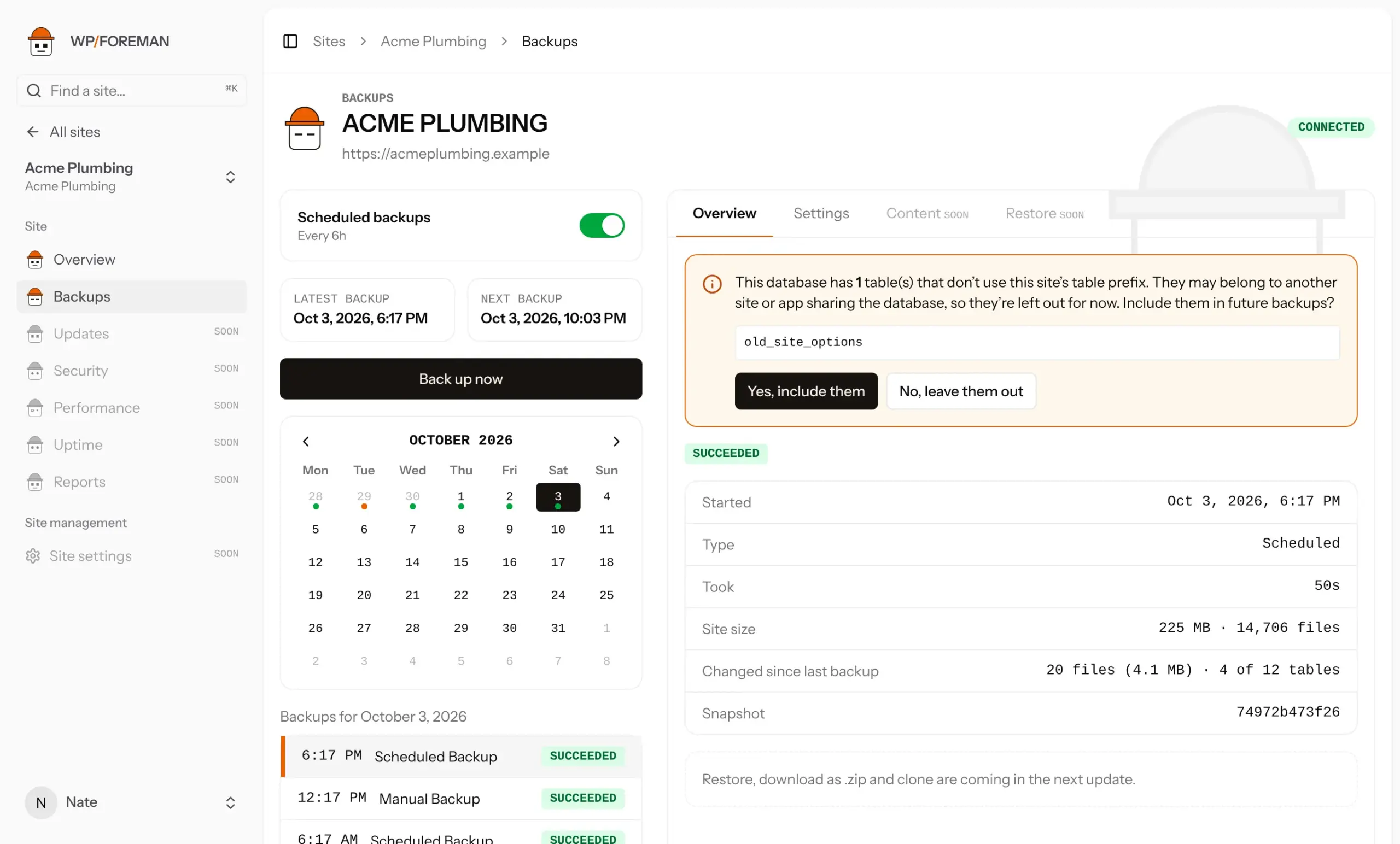
What happens during a backup
- Files. WP Foreman asks the plugin for a list of files with their sizes and dates, compares it with the last backup, and collects only new or changed files. Deleted files are noted too.
- Database. WP Foreman asks for a fingerprint (checksum) of each table and re-copies only tables that changed.
- Encrypt and upload. WP Foreman’s servers split the backup into chunks, compress them, encrypt them and upload only chunks storage doesn’t already have.
The plugin never zips or uploads anything, so a backup doesn’t slow your site down the way most backup plugins do.
To spot changes, WP Foreman keeps a working copy of each site on its server. Now and then it clears that copy to make room. The site’s next backup then reads every file again, so it takes longer, but storage still only gets what’s new.
Every backup is complete
Even though each run only uploads changes, every backup in the list is a full point-in-time copy of the site. Restoring any of them gives you the whole site as it was then. You never need to restore a chain of backups, and removing old ones never breaks newer ones.
What’s included
- Every file under your WordPress folder: core,
wp-content, uploads, plugins, themes and anything else you keep there. - Every database table that uses your site’s table prefix. Tables from other sites sharing the database are asked about first.
Always left out: caches, WordPress’s upgrade temp folders, Wordfence logs, other backup plugins’ archives (UpdraftPlus, All-in-One WP Migration, Duplicator, BackWPup), LiteSpeed and Divi caches, and .git. You can leave out more.
Reading the backup details
| Site size | Everything included in the backup |
|---|---|
| Changed since last backup | Files and tables collected this time. A busy store changes more than a brochure site. |
| Took | How long the whole run took |
| Snapshot | The backup’s ID in storage, useful if you contact us |
If the site couldn’t read a few files (wrong permissions, for example), the backup still finishes and lists them as skipped.
Thanks. If something was missing, tell us what.